A garden tracker that keeps every plant in its place
PlantPeepal is a garden tracker app for iPhone and Android. Organise your plants by garden and area, record the care you give, keep a photo history of how each plant grows, and see what needs doing today, without a spreadsheet or a notebook you forget to open.
- Gardens and areas that match how you actually grow
- A page for every plant with photos, notes and care history
- Garden to-dos for jobs that aren't tied to one plant
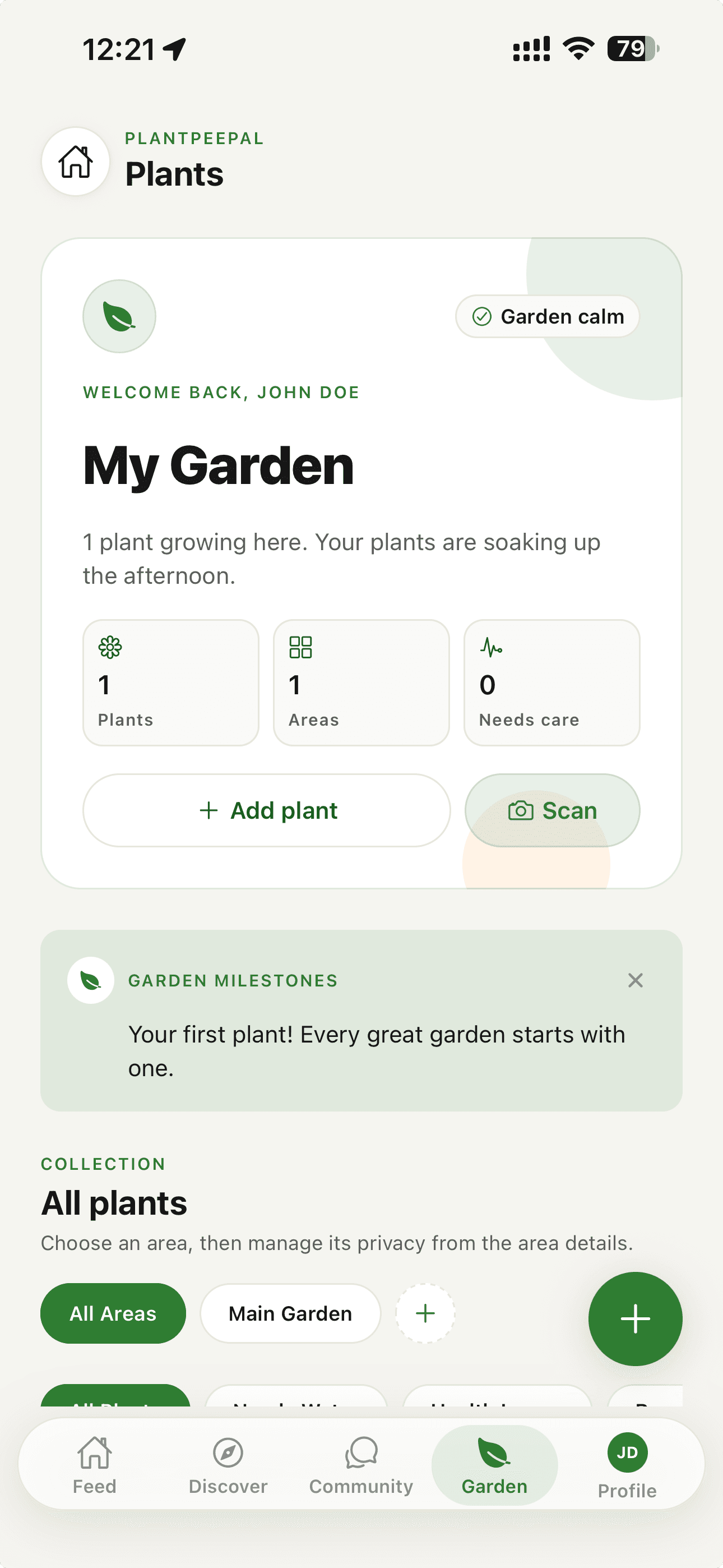
Organise plants the way your garden is laid out
Start with a garden, then add the areas inside it: a backyard bed, a front lawn border, a balcony, a terrace, a rooftop, a greenhouse or an indoor room. Each plant belongs to an area, so you can see at a glance what grows where and which spots need attention.
- Areas for backyards, front lawns, balconies, terraces, rooftops, greenhouses and indoor rooms
- Each plant has its own page with photos, notes and care history
- A garden overview showing how many plants you have and how many need care
Care history that remembers for you
When you tick off watering, feeding, misting or pruning in the care calendar, PlantPeepal records it against that plant. Next time you wonder when the tomatoes were last fed, the answer is on the plant's page.
Garden to-dos cover the rest: maintenance jobs, planting projects, feeding rounds and a wishlist of plants you'd like to grow next.
A photo record of how each plant grows
Add photos as the season goes on and they stay with the plant in date order, so you can compare this week with last month. You can also share a garden, an area or a single plant with a link, and choose what stays private.
How it works
Three steps to get started
- 1
Create your garden
Name your garden and add the areas you grow in, indoors or out.
- 2
Add your plants
Photograph a plant and PlantPeepal suggests what it is, or type the name yourself. Then place it in an area.
- 3
Track as you go
Tick off care, add photos and clear to-dos. Your history and calendar update as you garden.
Who it's for
- Vegetable growers who want to remember what was planted where
- Balcony and container gardeners with more pots than memory
- Houseplant collectors keeping care straight across rooms
- Anyone who has lost track of when a plant was last fed
Frequently asked questions
- Is PlantPeepal a free garden tracker?
- Yes. The free plan lets you track up to 25 plants across up to 5 gardens, with every feature included. An optional Bloom plan raises those limits and the monthly AI allowance for bigger gardens.
- Can I track indoor and outdoor plants together?
- Yes. Indoor rooms, greenhouses, balconies, terraces, rooftops and outdoor beds are all areas, so houseplants and garden plants live in the same account.
- Does it work for vegetable gardens?
- Yes. Beds and plots are areas like any other, and each vegetable gets its own page with photos, care history and calendar tasks.
Related garden guides
Free on iPhone and Android
Try PlantPeepal in your garden
Download PlantPeepal free from the App Store or Google Play. Every feature is included in the free plan.